UX-Led Revenue Growth for Plus Membership
Achieved Revenue Lift through Design-Led Optimization of Membership Flow
Overview
Context
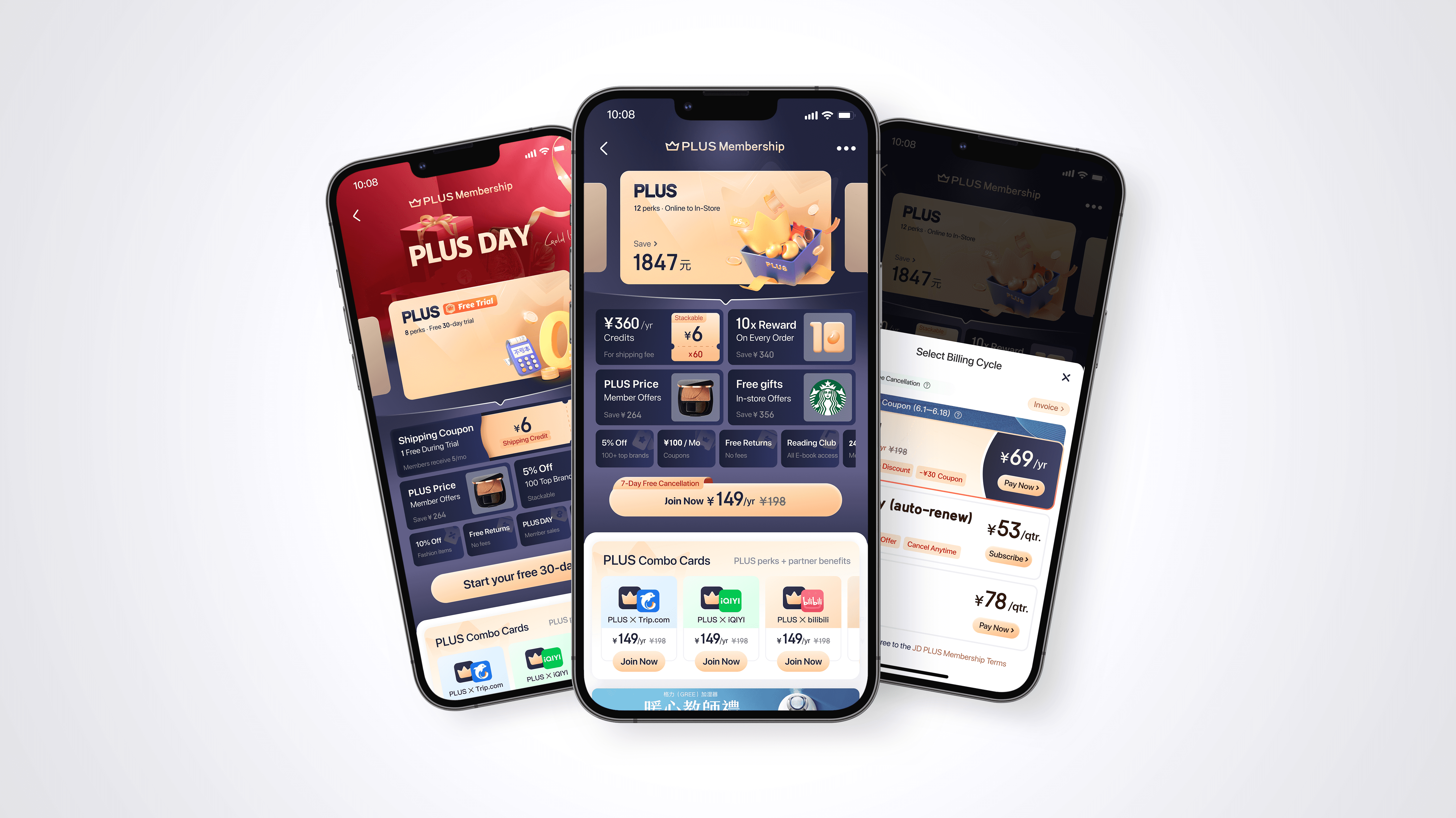
JD.com launched Plus Premier Membership, a loyalty program targeting high-value users, offering exclusive discounts and member privileges. Its core objective is to identify and retain high-value customers, while further driving conversion among this user group.
Unlike Amazon Prime, which focuses on an “all-scenario membership ecosystem” (e.g., logistics, video, and music), JD Plus emphasizes deep engagement within the e-commerce ecosystem — strengthening long-term loyalty and purchase frequency through personalized offers, exclusive brand partnerships, and data-driven marketing strategies.
The Plus Membership team continuously analyzes user data to refine target user profiles and deliver personalized perks, promotions, and brand promotions. Our design team supported this effort by creating a configurable component system, and support from visual and graphic designers, enabling the business team to efficiently produce and launch membership campaign pages and new membership plans.
Challenge
The component system is now undergoing a unified upgrade to enhance overall usability and better support the membership team’s growing marketing needs.
Team
Product Manager

Lead UX Designer
UX Designer
UI Designer
Skills
User Journey Mapping
Content Hierarchy Design
Outcome
21% increase in Purchase Rate
2300 increase in the Number of Members
Timeline
2022 Q2
Module
Plus Membership
Tool
Sketch
Problem Statement
JD.com offers a Plus Premier Membership that provides a variety of benefits, including VIP services, exclusive discounts, special merchandise, and free shipping vouchers. The majority of users are introduced to the membership through the membership sales page, but the conversion rate is low.
Additionally, JD.com has developed several targeted membership plans tailored to specific user segments, but these plans have not been updated or prominently featured on the membership sales page in quite some time. As a result, the page fails to effectively highlight the full range of membership options, limiting its ability to engage users and boost membership conversions.
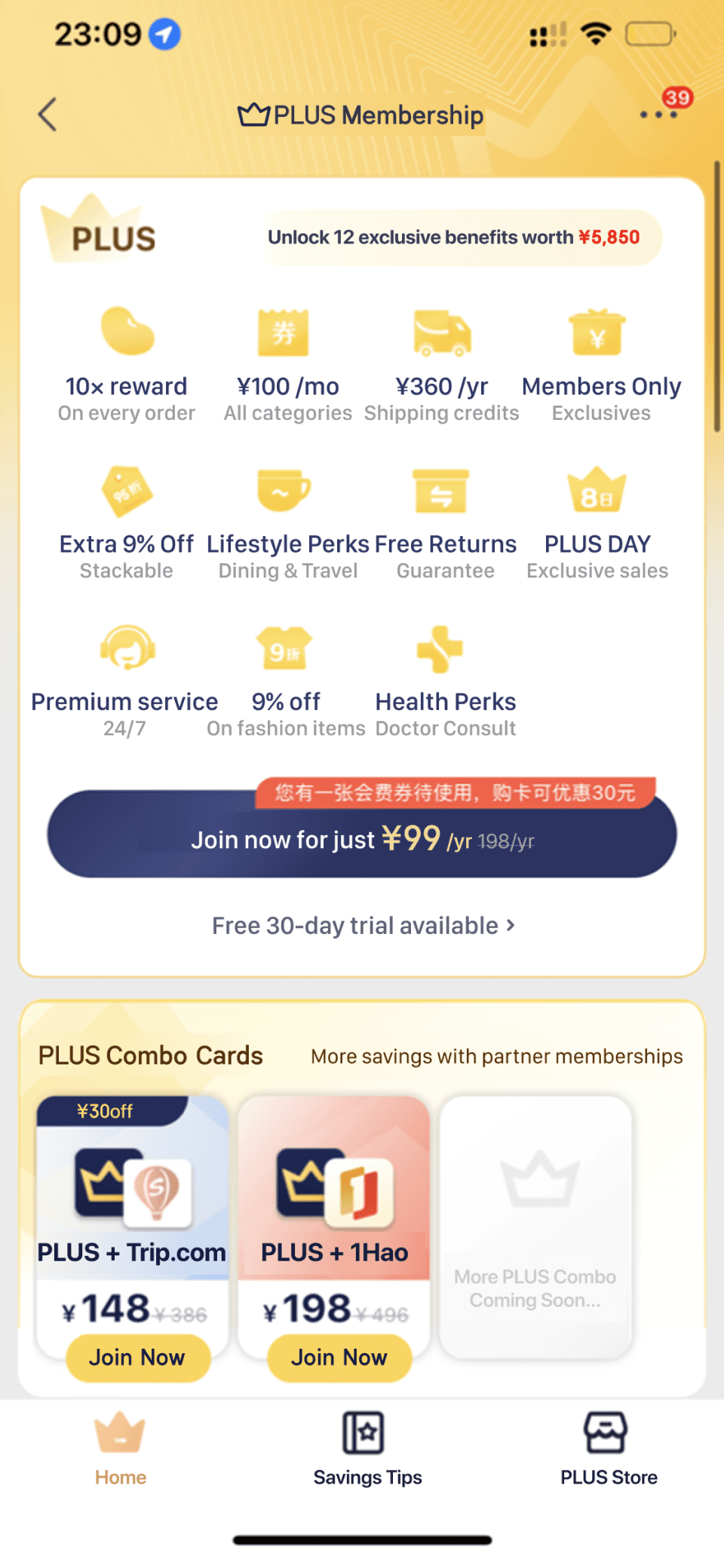
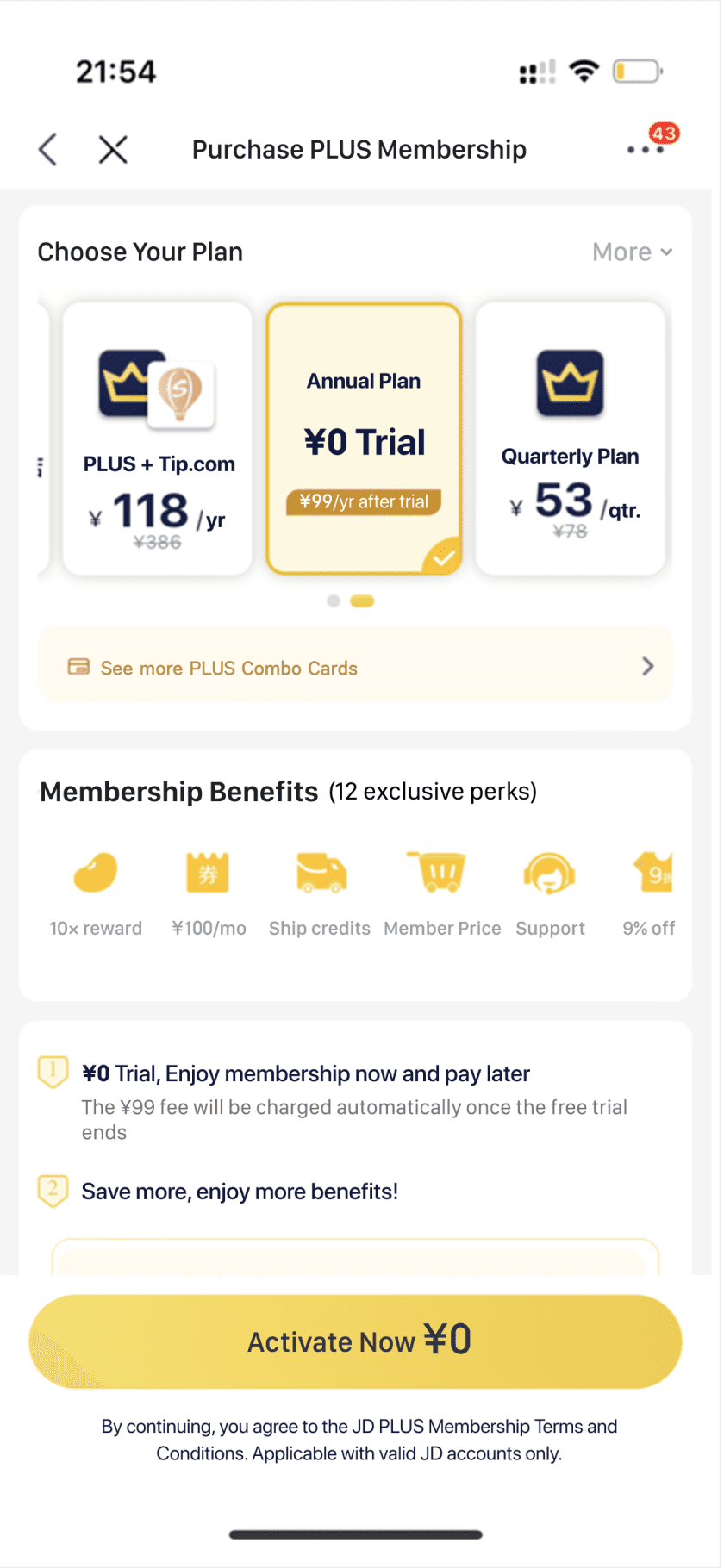
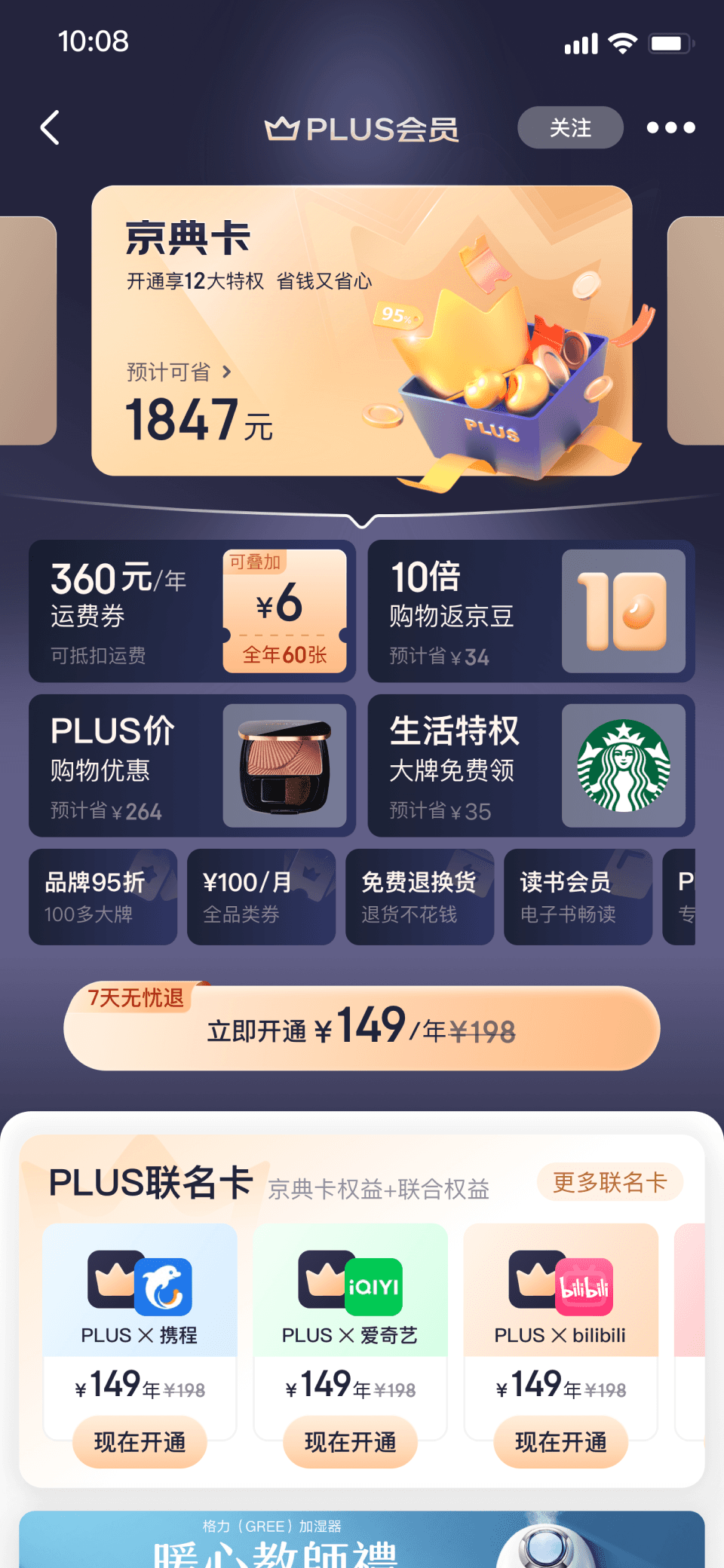
Current Membership Sales Page
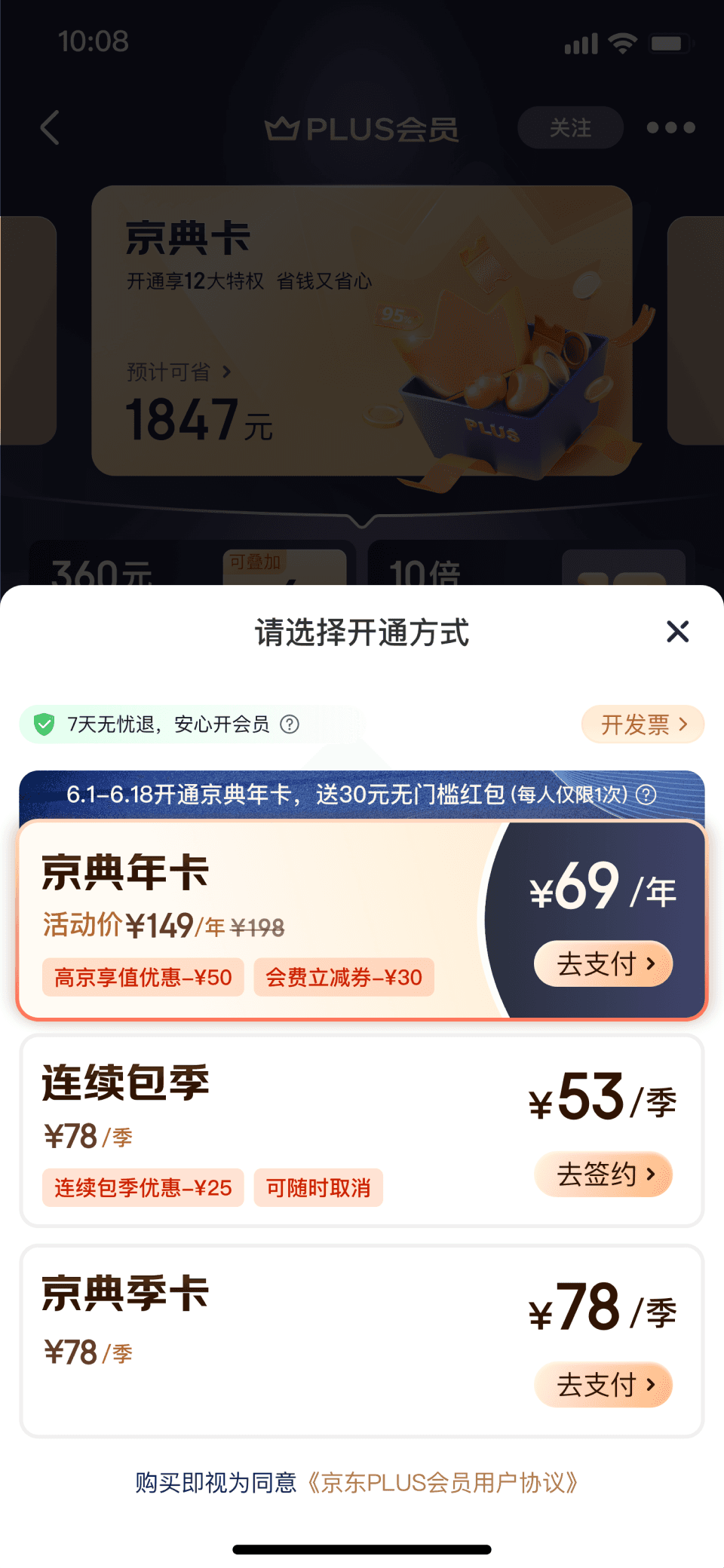
Membership Type Selection & Purchase Confirmation Page (Secondary page)
>
Low Purchase Rate
Most visitors are leaving the page without making a purchase
1.7
%
Purchase rate of the previous version of the membership sales page
>
Lacks Info Update
The page hasn't been updated in a long time. The membership plan options are placed on a secondary page, which limits their visibility and impacts the overall sales of all membership types.
[Note]
For demonstration and clarity, I’ve translated all UI elements into English. In the actual app, the typography and layout follow the Chinese characters.
Design Strategy
Business Goal
Increase Membership Purchase Rate
A
Product Level
A1. Streamline Membership Purchase Flow
Simplify the purchase journey by restructuring the steps to align with users’ expectations and reduces confusion
A2. Clearly Display Membership Options
Make all membership plans easily accessible and well-organized
B
UI Level
B1. Optimize Information Hierarchy for Plan Comparison
Redesign the layout to prioritize key features and payment options, making it easier for users to compare plans and choose the right one
B2. Clarify Value Proposition
Current perks lack clear and compelling value. The perk titles and subtitles do not strongly align with the intended value experience.
A. Product Level
Streamline Membership Purchase Flow
The current membership purchase process consists of three steps: selecting a membership plan type, more plans & billing cycle, and completing the purchase.
These steps are misaligned with users' expectations, leading to confusion and potential drop-off.
To improve the user experience, we recommend separating the goals into three clear stages: first, users should choose their plans, then select billing cycle, and finally proceed to complete the purchase. This structure better aligns with users' natural decision-making process and reduces friction.
Process Before
Process After

STEP1
Choose Plan
STEP2
Choose Billing Cycle
STEP3
Pay
Plan A
Plan A | Annual Pay
Plan A | Monthly Pay
Plan A | Quarterly Pay
Plan B | Annual Pay
Plan C | Monthly Pay
Plan A
Plan B
Plan C
Annual Pay
Monthly Pay
Quarterly Pay
Complete Purchase
Complete Purchase
STEP1
Confirm Plan
STEP2
More Plans & Billing Cycle
STEP3
Pay
A. Product Level
Clearly Display Membership Options
STEP1
Choose Plan
Strategy
Utilize horizontal sliding interactions to display membership plans within the primary screen area, maximizing visibility and ease of comparison. This design enables users to quickly view and compare available options, enhancing their decision-making process.
Before
Choose Plan on a Secondary Page
After
Choose Plan on the Primary Page
Benefits
¥00 Purchase
Plan A
Sale Page
Confirm Order Page
PlanA
Annual
PlanA
Monthly
PlanB
Annual
Benefits
¥00 Purchase
Sale Page
Benefits
¥00 Purchase
PlanA
You’ll save: $00
PlanA
You’ll save: $00
Before
Choose Billing Cycle on Secondary Page
After
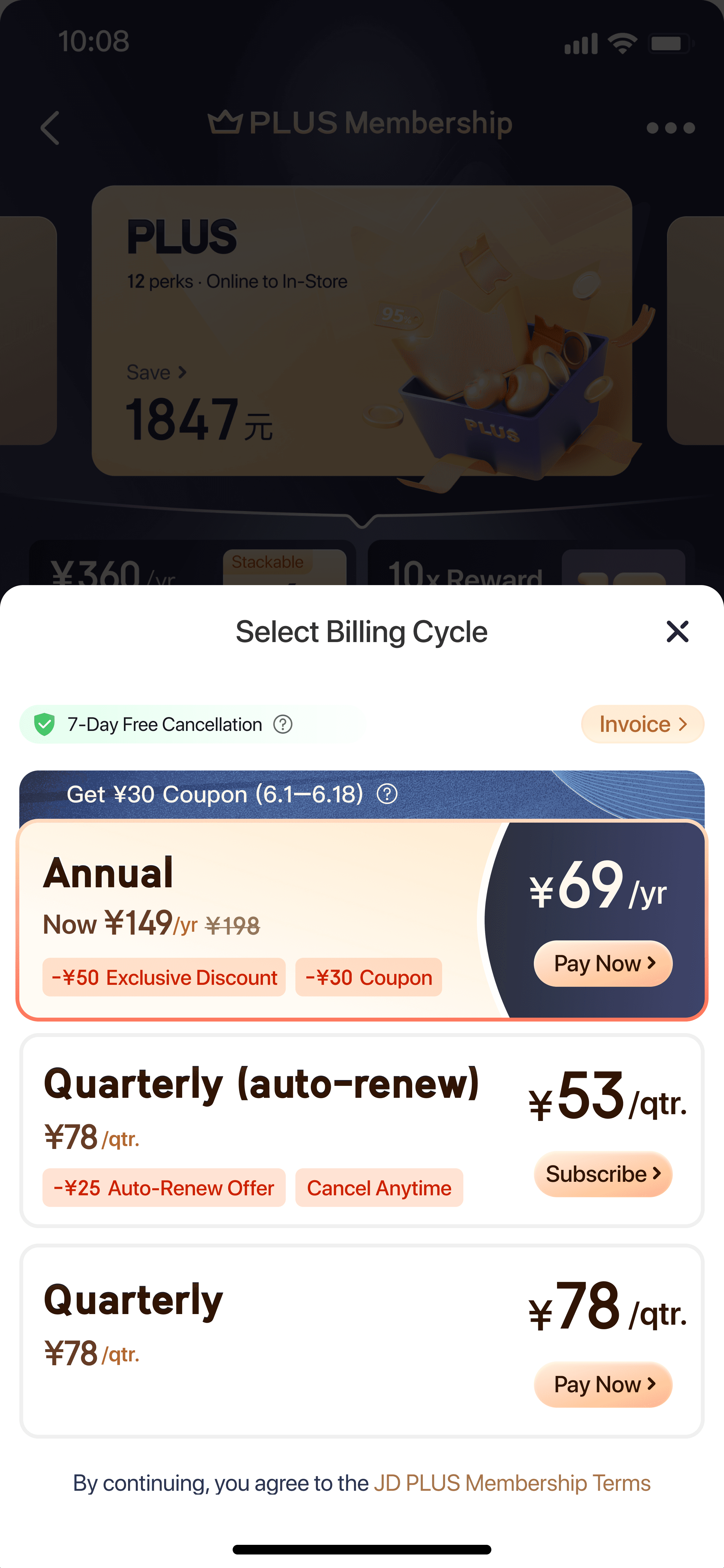
Choose Billing Cycle on Overlay
¥00 Purchase
PlanA
Sale Page
Confirm Order Page
PlanA
Annual
PlanA
Monthly
PlanB
Annual
¥00 Purchase
Sale Page
¥00 Purchase
PlanA
You’ll save: $00
PlanA
You’ll save: $00
Sale Page
PlanA
You’ll save: $00
PlanA
You’ll save: $00
Choose Payment Option
Confirm
Annual
¥00
Monthly
¥00
Quarterly
¥00
STEP2
Choose Billing Cycle
Strategy
Implement an overlay component to present payment options, streamlining the selection process and reducing the time required to complete the purchase.
B. UI Level
Optimize Information Hierarchy for Plan Comparison
I conducted Competitive Analysis on Information Architecture. The uncovered design opportunity is that Users find it difficult to grasp the selling point / core value of the current page.
So I went to further qualitative research on “Which information should be prioritized, and how can key benefits be emphasized to enhance user engagement?”
JD.com Plus Membership Sale Page
Koala Black Card Sale Page
Sam’s Club Sale Page
HippoGrocery X
membership Onboarding Page
Problem1: Lacks Perk Hierarchy
All benefits are displayed equally, making it hard for users to quickly identify the most important features of the membership plan.
Problem2: Unengaging Perk Descriptions
The icons and descriptions are too uniform and abstract, making it difficult for users to understand the value of each benefit.
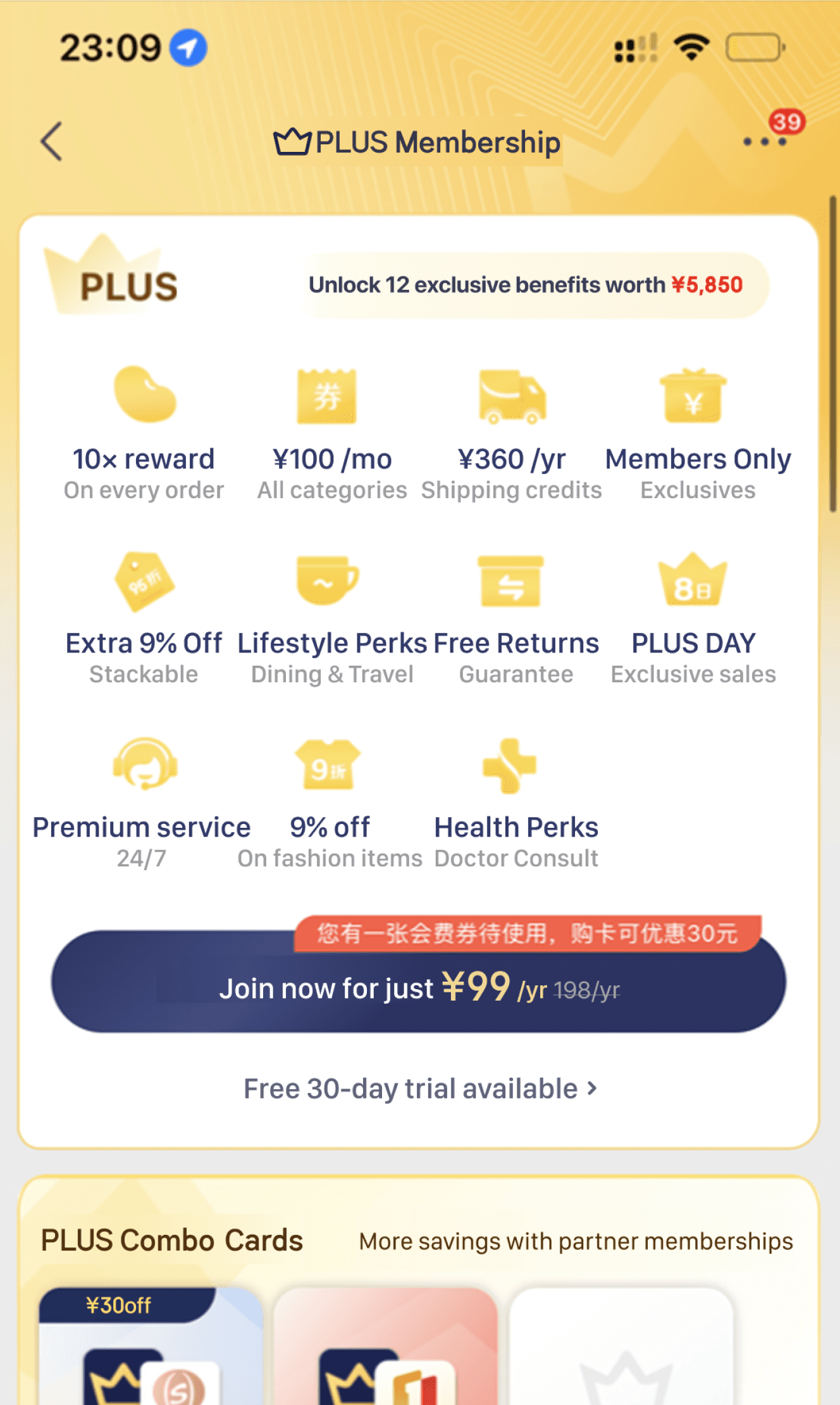
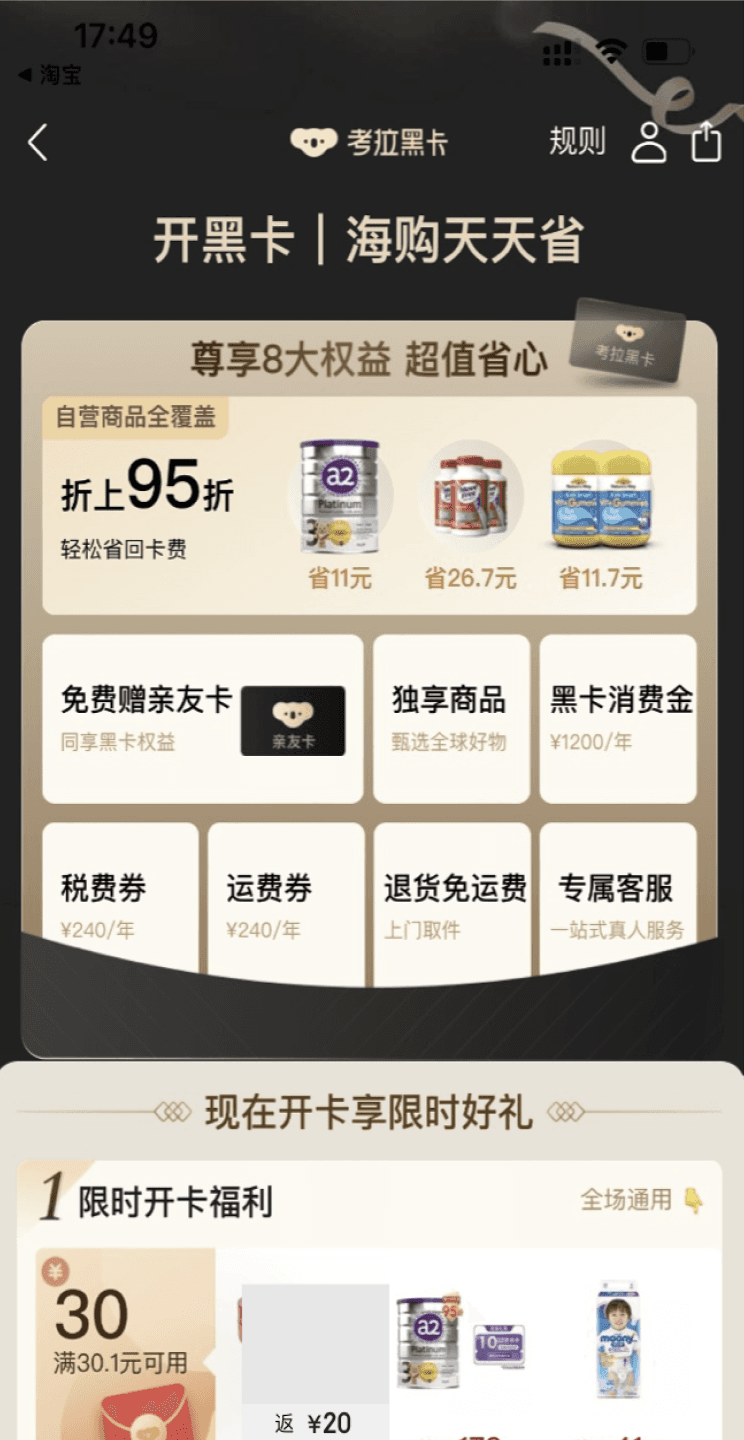
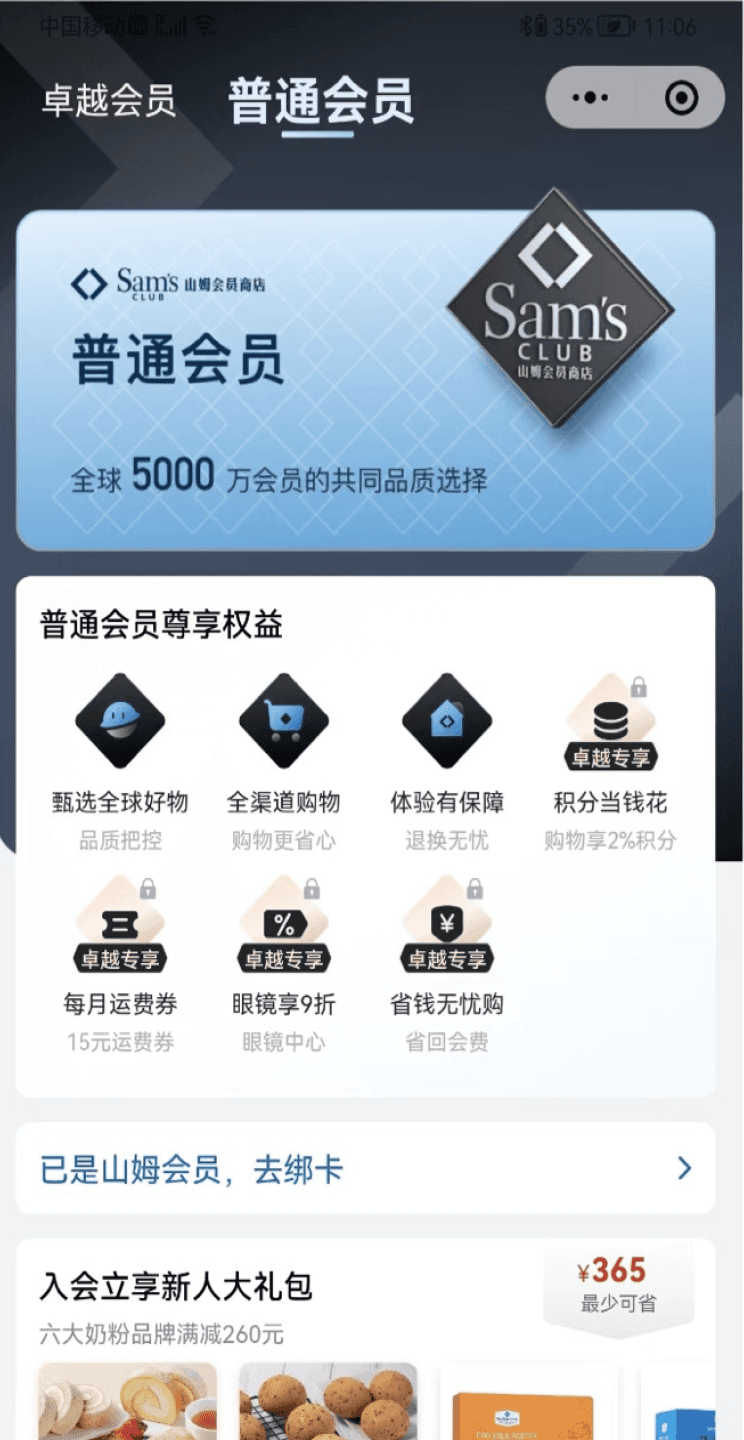
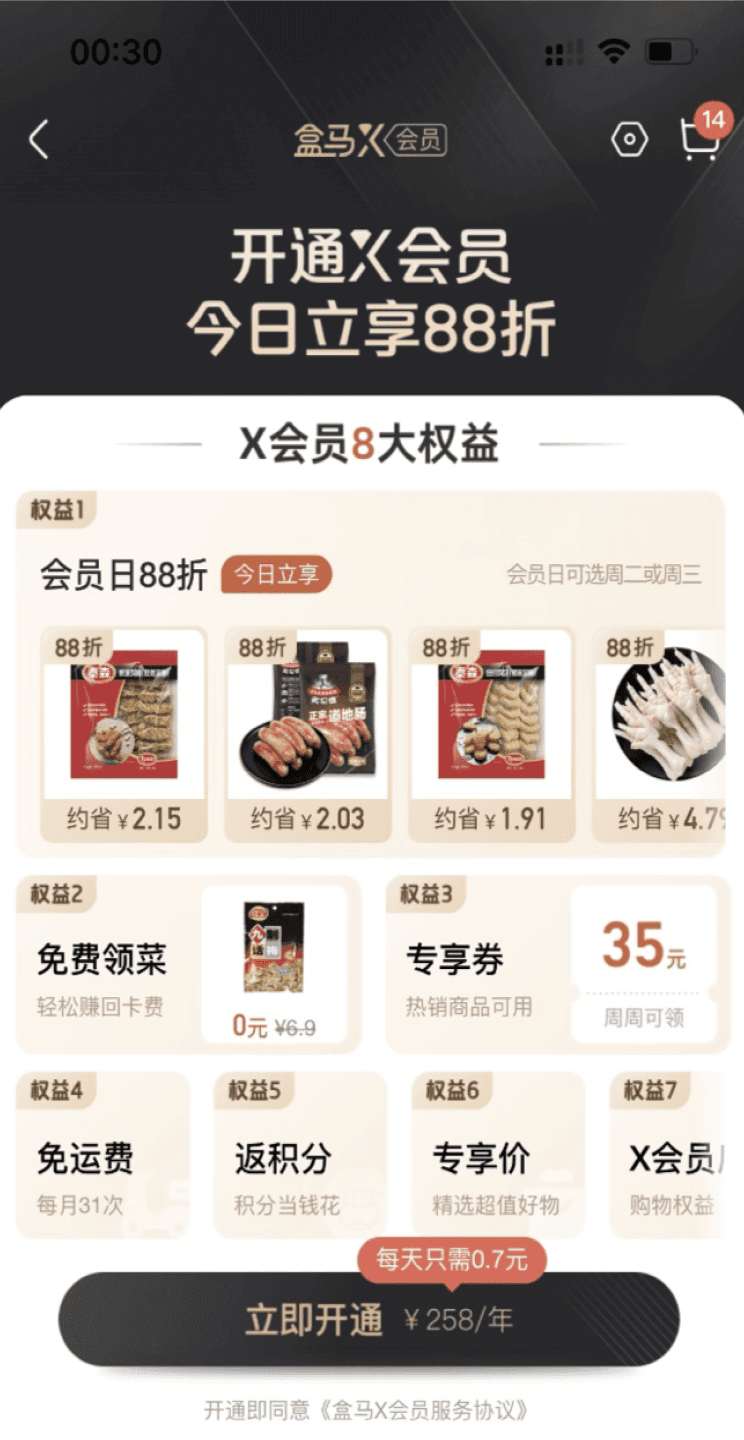
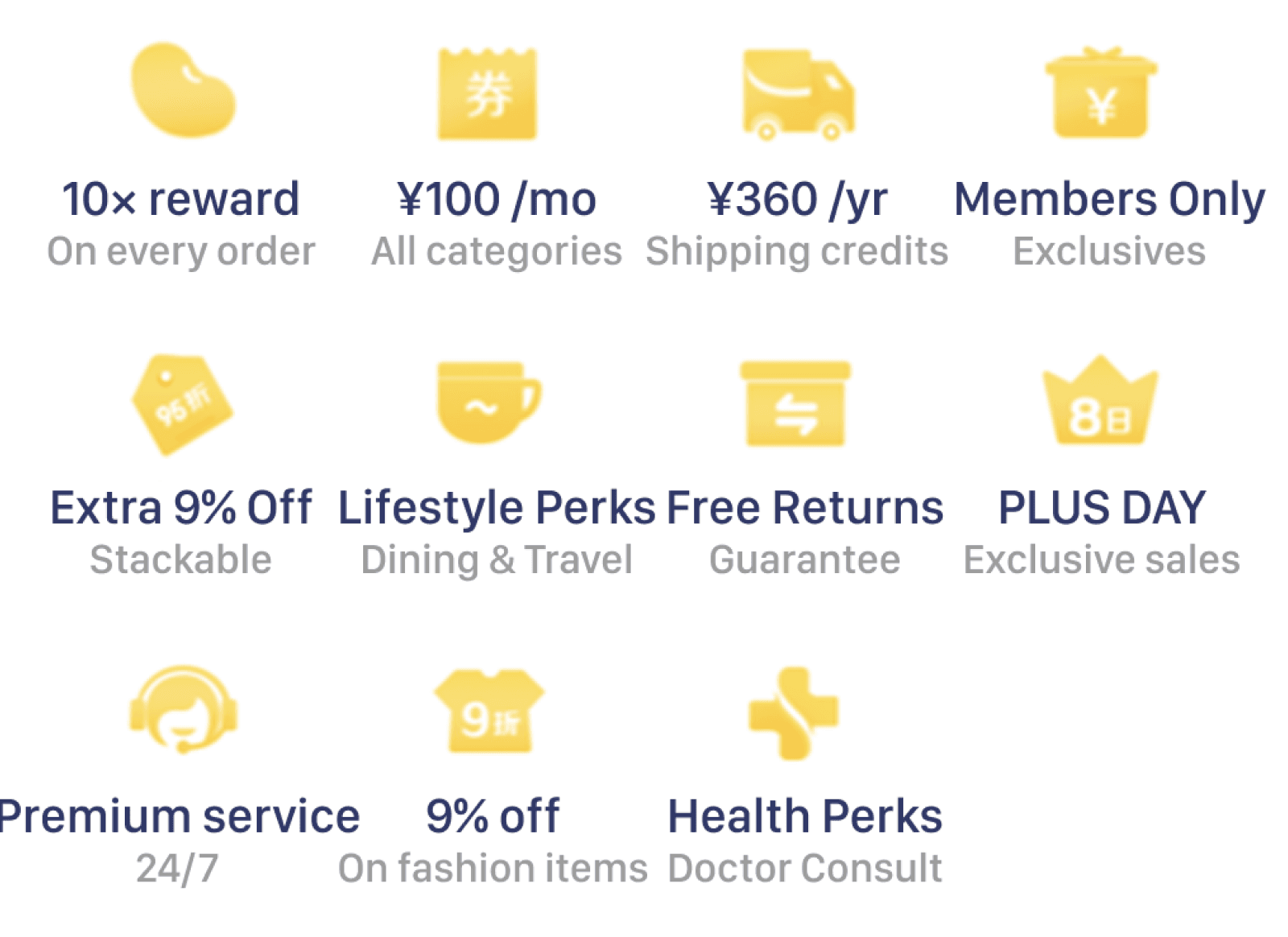
Research on the Perks’ Hierarchy
I interviewed users and the Plus membership marketing team, reviewed past user data from the page to understand how users prioritize the perks. Based on these insights, I organized the benefits into categories using the affinity diagram method, which guided how we should present the perks to users.
Interview Data
Business Value
Interview & Click Exposure Data
User Value
Additional Information
PLUS BENEFITS
Qualitative Research
Hierarchy of Display
Key Highlight
Secondary Detail
Supplementary Context
Primary Focus
The Perk’s UI Component Redesign
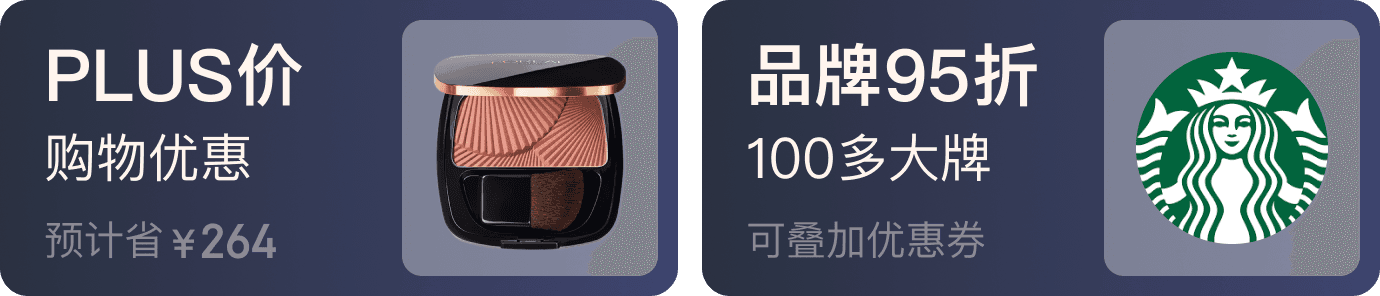
Strategy: Use larger card components with more detailed descriptions to emphasize the most important benefits, aligning with the hierarchy of needs.
UI Component
Hierarchy
Design Strategy
Key Highlight
Secondary Detail/
Supplementary Context
Primary Focus
Joint Value
Strong visuals,
Use larger modules,
Detailed Descriptions
User Value
With Product Imagine,
Smaller Modules,
Concise descriptions
Business Value & Additional
Icon Representation,
Compact Modules,
Brief Description





B. UI Level
Clarify Value Proposition
The goals is to refined the UX copy to highlight the value of each perk. Using affinity mapping, I organized and prioritized benefits based on what mattered most to users.
PLUS BENEFITS
Quantitative Research
Descriptive Information
Affinity Diagram
User’s Categorization of the Benefits
Cost Savings
Convenience
Exclusive Products
Value-added
Service
UX Copy Update
Strategy: Descriptive information → Clear user understanding (categorization) of the benefits.
Before
After
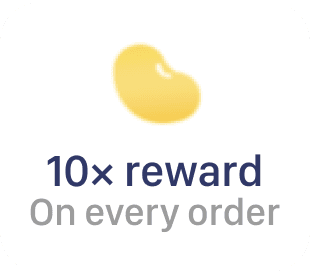

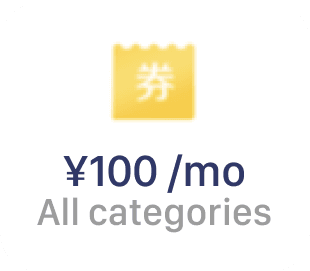

Icon & Text
10x Points Money Back
Emphasized Display of Value and Financial Gains
Cost Savings
coupon
Cost Savings
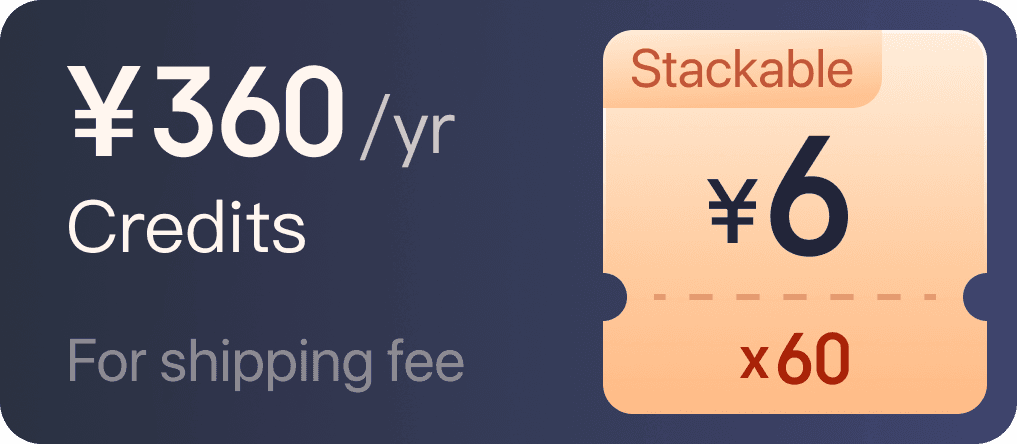

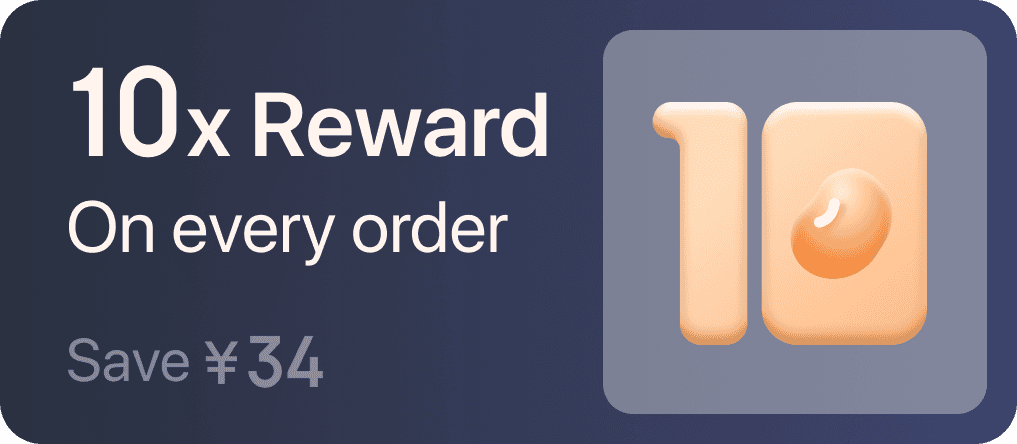

Results After Launch
Benefit Modules
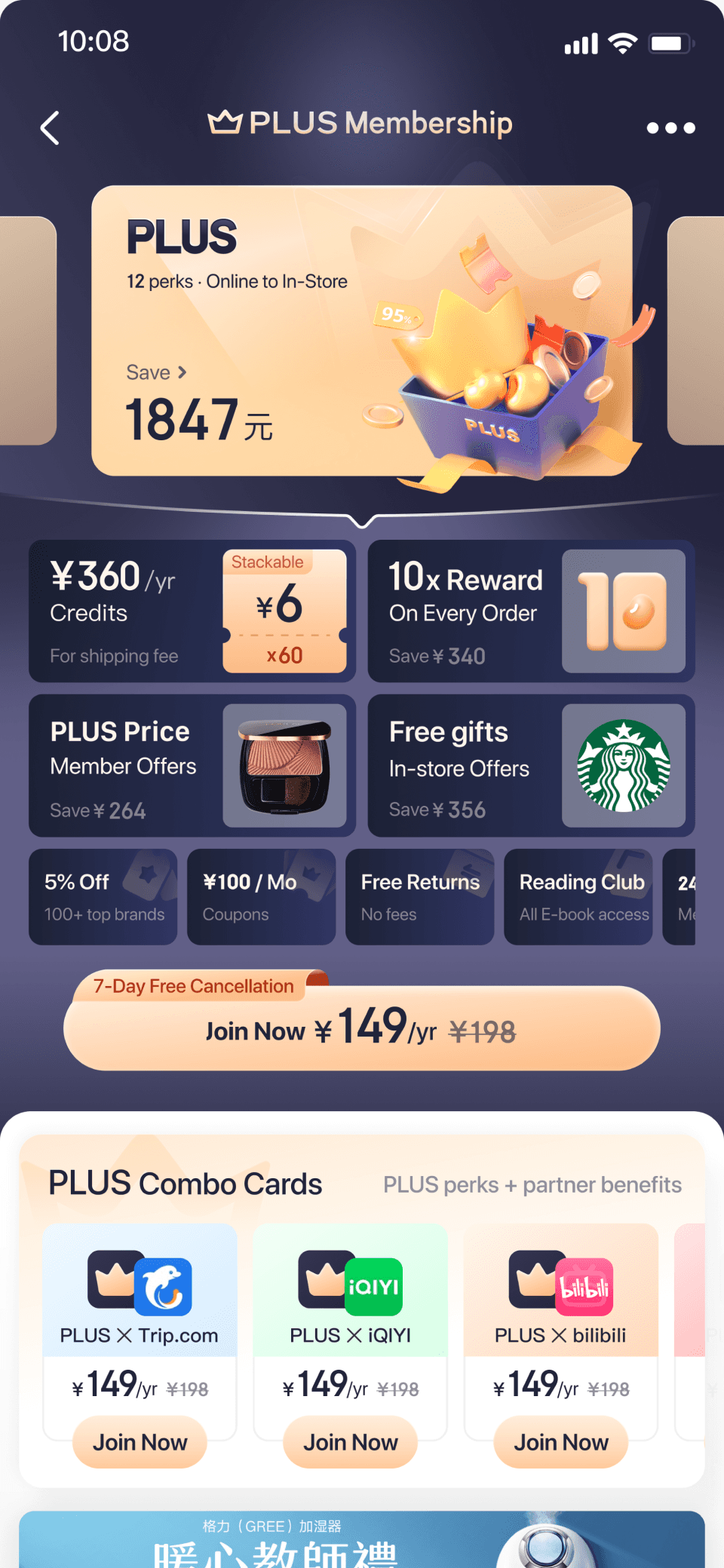
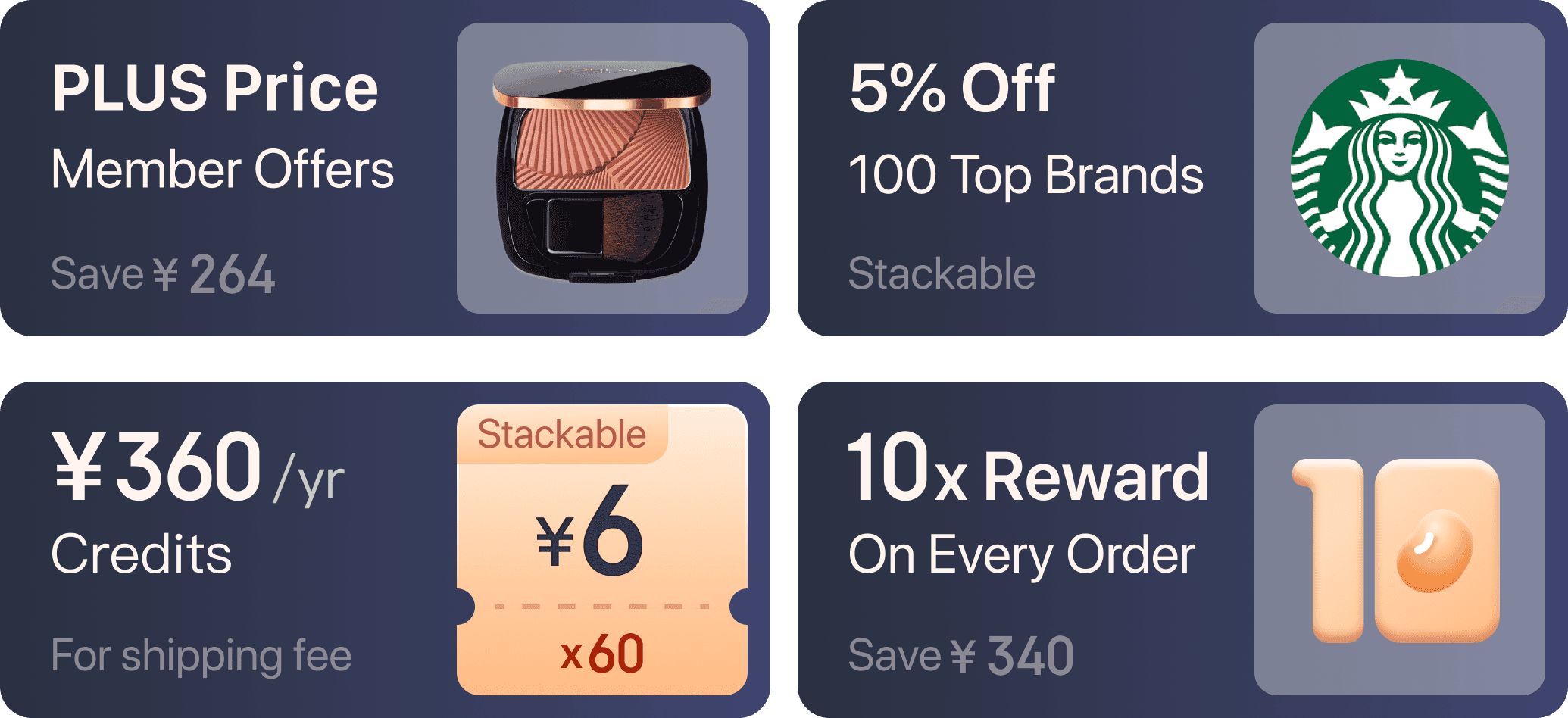
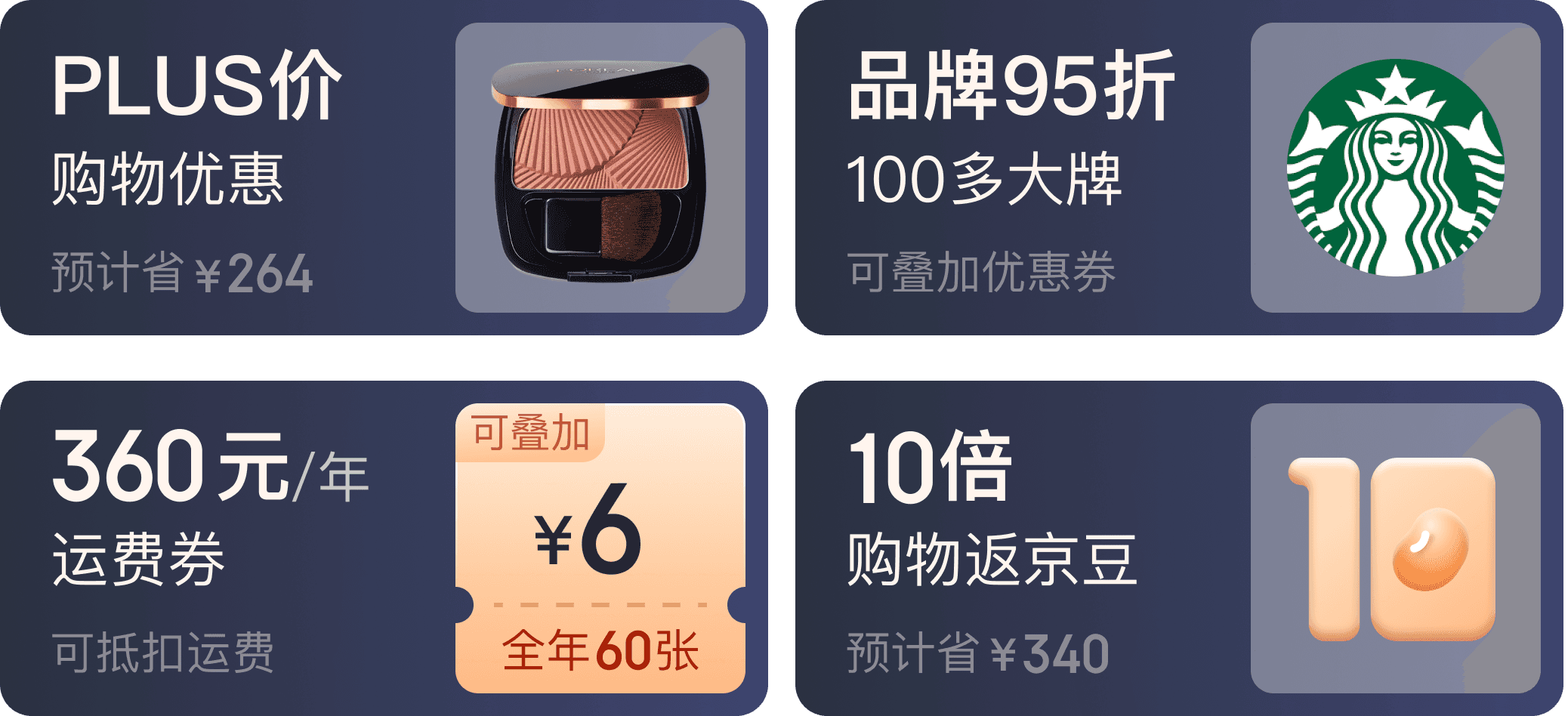
Choose and Compare Plans
Choose Payment Option
Results After Launch
With the same information, the new membership sale page design is more effective in clearly communicating the core value of each plan. Additionally, the streamlined onboarding process significantly reduces user churn. This design has since been fully rolled out.
Membership Purchase Rate Uplift
21
%
Expected Average Daily Net Increase in Members After Full Volume Rollout
2300
Members
Jul 2nd-Jul 5th daily average | Cut 20% Volume AB Test
Related Projects